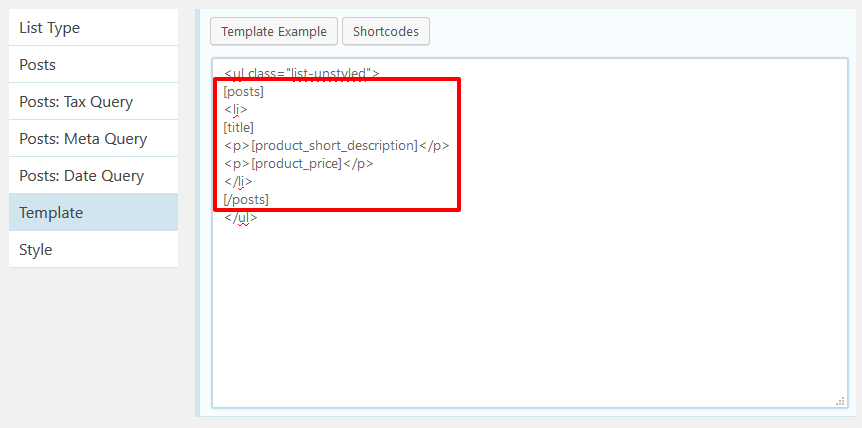
A template tag is more or less like traditional WordPress shortcode. However, it needs to be registered differently. Following is an example.
function custom_product_shortcodes( $shortcodes ) {
    $shortcodes['product_price'] = array(
        'group'    => 'Post',
        'callback' => 'custom_wc_product_price',
        'desc'     => '<strong>'. __( 'Output', 'text-domain' ) .'</strong>: product price'
    );

    $shortcodes['product_short_description'] = array(
        'group'    => 'Post',
        'callback' => 'custom_wc_product_short_description',
        'desc'     => '<strong>'. __( 'Output', 'text-domain' ) .'</strong>: product short description'
    );

    return $shortcodes;
}
add_filter( 'w4pl/get_shortcodes', 'custom_product_shortcodes', 20 );

function custom_wc_product_price( $attrs, $content ) {
    $post_id = get_the_ID();
    $product = wc_get_product( $post_id );
    return $product->get_price();
}

function custom_wc_product_short_description( $attrs, $content ) {
    $post_id = get_the_ID();
    $product = wc_get_product( $post_id );
    return $product->get_short_description();
}
Next, you can use the tag [product_price] and [product_short_description] within your list template.